
 (470) 713-8211


Launching a Shopify store is easy, but getting people to find it on Google is the hard part.
Thousands of online stores compete for the same customers every day. If your products are buried on page three or four of Google, most shoppers will never see them.
That means fewer visitors, fewer sales, and more money spent on ads just to stay visible.
The good news is that you don’t have to rely on paid traffic forever. A smart SEO strategy can help your store attract visitors day after day without paying for every click. That’s exactly where this shopify seo checklist comes in.
Instead of guessing what works, you’ll follow 25 proven steps that improve your store’s visibility, create a better shopping experience, and increase your chances of ranking higher in search results.
You don’t need to be an SEO expert. You just need to apply the right improvements consistently.
Why SEO Matters for Shopify Stores
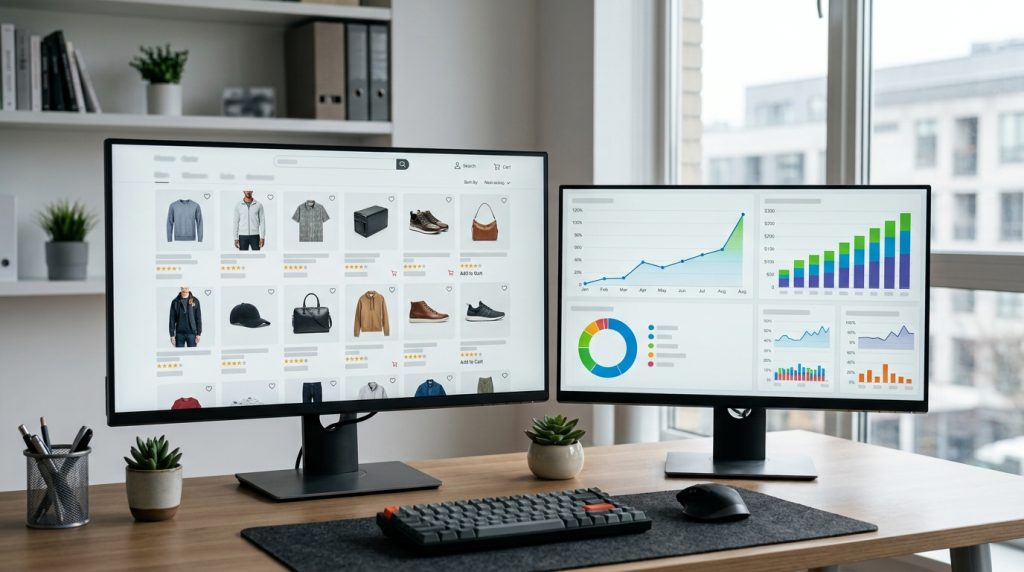
Search engine optimization is one of the great investments you can make for your online Shopify store, Unlike paid ads that stop working the moment your budget runs out, SEO keeps bringing visitors over time.
When your product pages appear close to the top of Google search results, people are more likely to click on your store. These visitors are already searching for products like yours, which means they are often ready to buy.
Shopify provides you with a solid starting point with clean code, mobile friendly themes, and built-in SEO features. But those features alone won’t push your store ahead of competitors.
You still need to optimize your pages, improve your content, and make your website easy for both shoppers and search engines to understand.
Following a complete Shopify SEO checklist helps you focus on the improvements that actually make a difference instead of wasting time on outdated SEO tricks.
List of 25 Proven Steps to Boost Your Rankings
Build a Strong SEO Foundation
1. Choose the Right Keywords
Everything starts with the words your customers actually type into Google’s search bar. Instead of targeting broad keywords like “shoes,” focus on specific phrases such as “black running shoes for men.” These keywords usually have less competition and attract buyers who know exactly what they want.
2. Understand Search Intent
Not every search means the same thing. Someone searching for “how to clean leather boots” wants information. Someone searching for “buy leather boots online” wants to shop. Match your content to what people actually expect to find.
3. Organize Your Site Structure
A messy website confuses both visitors and search engines. Keep your navigation simple by placing products into clear categories and collections. Every important page should be easy to reach within a few clicks.
4. Use an SEO-Friendly URL Structure
Your URLs should be short, clean, and easy to read. Avoid random numbers or unnecessary words. A simple URL helps users understand what’s on the page before they even click it.
5. Install Google Search Console and Google Analytics
These free tools show how people find your store, which pages perform well, and where improvements are needed. You can’t improve what you don’t measure.
Optimize Your Store Pages
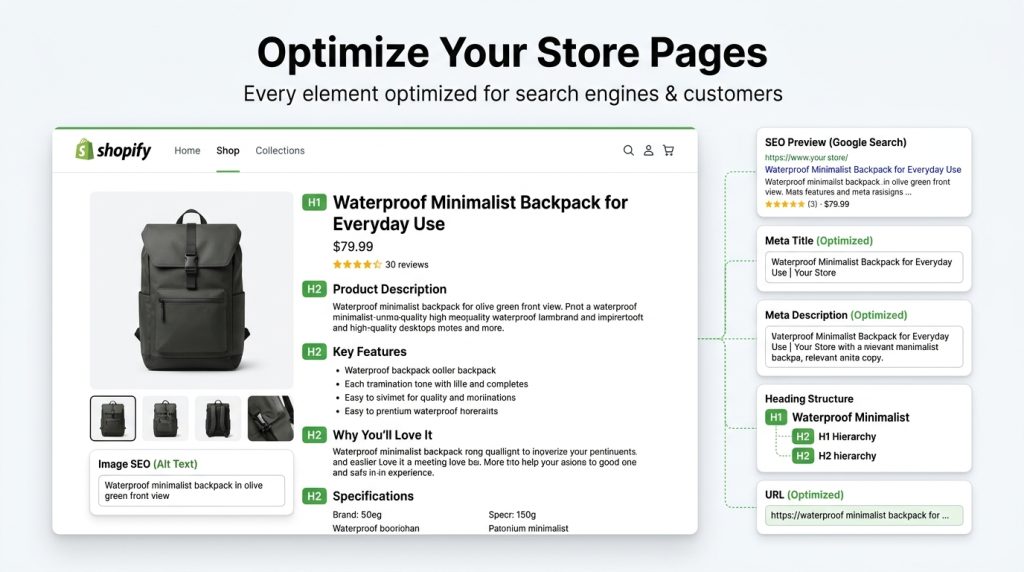
6. Write Unique Product Titles
Every product deserves its own title. Include important keywords naturally while keeping the title clear and attractive. Generic titles make it harder for Google to understand your products.
7. Create Compelling Meta Titles and Descriptions
Your meta title and description are often the first things people see in search results. Think of them as your store’s first impression. Write them to encourage clicks while accurately describing the page.
8. Optimize Product Descriptions
Never copy descriptions from manufacturers. Google prefers original content, and customers appreciate useful information.
Explain what the product does, who it is for, its main features, and the benefits it offers. Instead of simply listing specifications, help shoppers imagine using the product in real life.
9. Optimize Collection Pages
Many store owners focus only on product pages and ignore collection pages. That’s a mistake.
Write a short introduction for every collection that explains what customers will find. This helps Google understand the page and gives shoppers extra confidence.
10. Use Proper Heading Tags
Every page should have one clear H1 heading followed by organized H2 and H3 headings where necessary. A logical structure makes your content easier to read and helps search engines understand the page.
Improve Technical SEO
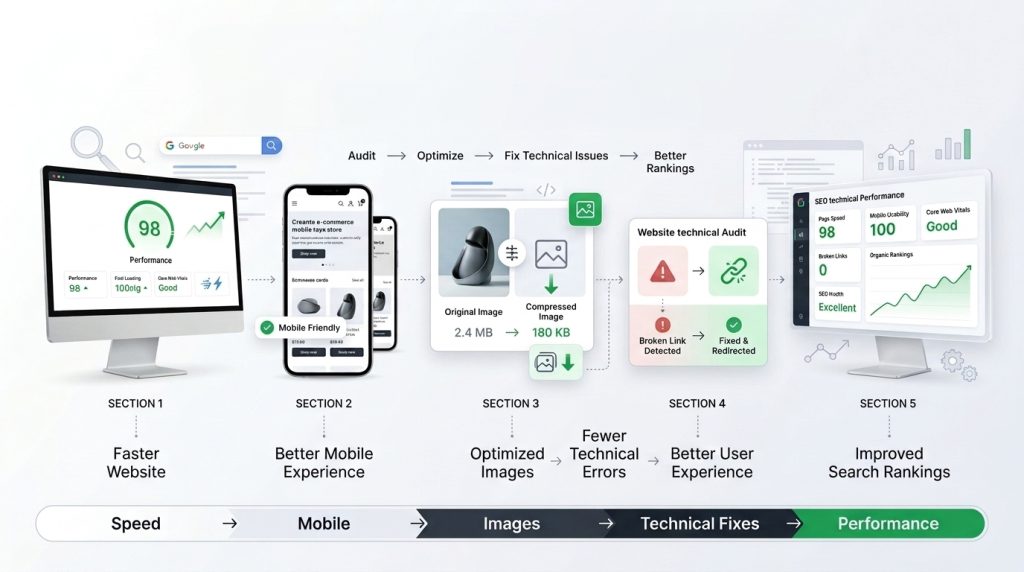
Technical SEO may sound complicated, but many improvements are surprisingly simple.
11. Compress Images
Large images slow down your website. Faster websites create better shopping experiences and often perform better in search results.
Compress your images before uploading them without sacrificing quality.
12. Add Descriptive Image Alt Text
Search engines can’t see images the way humans do.
Alt text tells Google what each image shows. It also improves accessibility for users who rely on screen readers. Describe images naturally instead of stuffing keywords.
13. Improve Site Speed
Every extra second your website takes to load increases the chance that visitors will leave.
Improve loading speed by removing unnecessary apps, using lightweight themes, reducing oversized images, and limiting heavy animations.
14. Ensure Mobile-Friendliness
Most people shop using their phones. If your website is difficult to use on smaller screens, customers will quickly move to another store.
Check that buttons are easy to tap, text is readable, and pages load smoothly on mobile devices.
15. Fix Broken Links and 404 Errors
Broken pages create frustration and hurt your SEO efforts.
Regularly check your website for broken links and redirect outdated pages to relevant alternatives. A clean website sends positive signals to search engines.
Strengthen Content and Internal SEO
Strong content does more than attract visitors. It keeps them engaged and encourages them to explore your store.
16. Build Internal Links
Connect related products, collections, and blog posts together.
For example, if you sell hiking backpacks, link to camping gear, water bottles, and hiking boots. Internal links help visitors discover more products while making your website easier for Google to crawl.
17. Start a Shopify Blog
A blog allows you to target keywords that product pages can’t.
Helpful articles answer customer questions, solve problems, and introduce people to your brand before they decide to buy.
Topics could include buying guides, product comparisons, maintenance tips, or industry trends.
18. Add FAQ Sections to Product Pages
Customers often have similar questions before making a purchase.
Adding a short FAQ section saves shoppers time while providing Google with extra information about your products.
19. Use Schema Markup
Schema markup gives search engines additional details about your products, such as prices, reviews, availability, and ratings.
When implemented correctly, your listings may appear with rich results that stand out more in search pages.
20. Avoid Duplicate Content
Duplicate content confuses search engines because multiple pages compete for the same rankings.
Avoid copying product descriptions, collection introductions, or blog articles across different pages. Every important page should offer unique value.
This part of the Shopify SEO checklist is often overlooked, but it can have a noticeable impact on long-term rankings.
Grow Your Store Authority
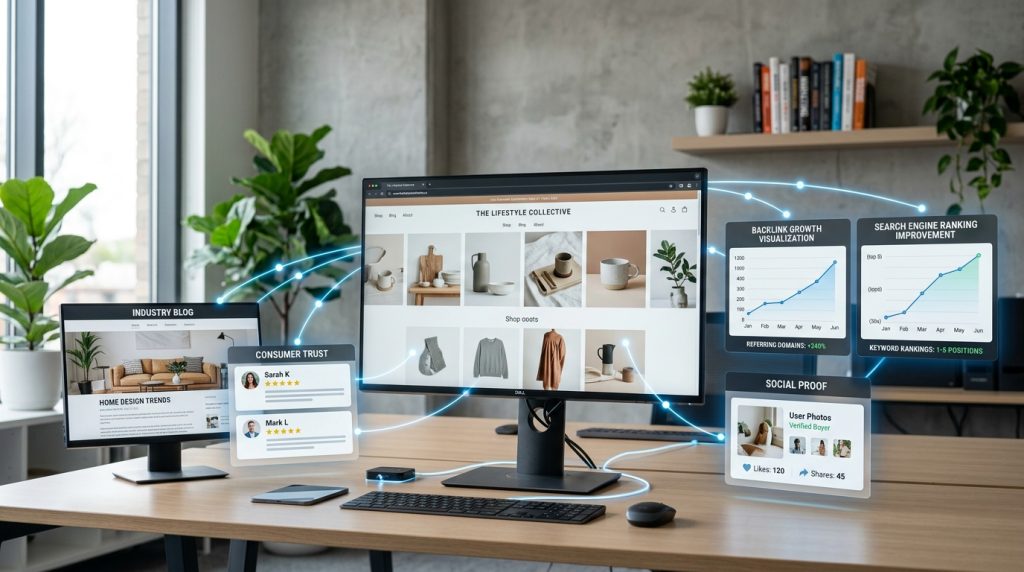
Once your website is well optimized, it’s time to build trust beyond your own pages.
21. Earn High-Quality Backlinks
Backlinks are links from other websites pointing to your store.
Quality matters far more than quantity. A single link from a trusted website is usually more valuable than dozens of low-quality links.
Create useful content that others naturally want to reference or reach out to industry blogs for collaboration opportunities.
22. Encourage Customer Reviews
Reviews build trust with both shoppers and search engines.
Ask satisfied customers to leave honest feedback after completing a purchase. Positive reviews improve credibility and may increase click-through rates.
23. Optimize for Local SEO
You should not forget local search engine optimization, If you own a physical store.
Create and optimize your Google Business Profile, keep your business information consistent across the web, and encourage local customers to leave reviews.
24. Update Content Regularly
SEO is not something you do once and forget.
Refresh old blog posts, update outdated product information, improve images, and add new details whenever necessary. Fresh content shows Google that your store remains active.
25. Monitor SEO Performance and Keep Improving
Keep an eye on your rankings, traffic, click-through rates, and conversions.
Pay attention to which pages attract visitors and which ones struggle. Small improvements made consistently often produce much bigger results than major changes made once a year.
If you follow this shopify seo checklist regularly, you’ll always know where your next improvement should be.
Common Shopify SEO Mistakes to Avoid
Many store owners unknowingly damage their rankings by making avoidable mistakes.
Some of the most common ones include:
- Copying product descriptions from suppliers.
- Ignoring image optimization.
- Leaving title tags or meta descriptions blank.
- Publishing very little content on important pages.
- Forgetting to monitor SEO performance.
- Ignoring mobile users.
- Installing too many apps that slow down the website.
SEO rewards websites that provide the best experience for users. Every small improvement adds up over time, while every mistake makes it harder to compete.
The best approach is to review your store regularly instead of waiting until traffic starts dropping.
How Often Should You Review Your Shopify SEO Checklist?
Search engine optimization is not a one time project, instead its an ongoing process.
Some tasks deserve weekly attention, while others only need occasional reviews.
Check your website analytics every week to spot traffic changes or technical issues. Review product pages every month to improve descriptions, images, and internal links.
After every few months perform a deeper SEO audit to fix broken links, refresh older content, and identify new keyword opportunities.
At least once a year, evaluate your overall SEO strategy. Search trends change, competitors improve, and Google’s algorithms continue to evolve.
Treat your Shopify SEO checklist like regular maintenance for your business. The stores that stay consistent are usually the ones that continue climbing the search results.
Conclusion
Ranking higher on Google is not about finding secret tricks or chasing shortcuts to improve your site’s visibility. It’s about building a store that is helpful, fast, trustworthy, and easy to understand.
Every improvement you make sends a stronger signals to search engines and creates a better experience for your customers. You don’t need to complete all these steps in a single day. Start with the basics, improve one section at a time, and keep building your site from time to time.
Always remember that search engine optimization rewards patience. Some changes take weeks or months to show their full impact, while others deliver quick results. The important thing is to stay consistent and keep improving.
This Shopify search engine optimization checklist gives you a clear roadmap. Follow that checklist, fix weaknesses as they appear, measure your progress, and keep your online store updated.
Over time, those steady improvements can lead to better rankings, more visitors, and more sales without depending entirely on paid advertising.
Frequently Asked Questions
A Shopify SEO checklist is a step-by-step guide that helps you optimize your online store for search engines. It includes tasks like keyword research, improving product pages, optimizing images, increasing site speed, fixing technical issues, and building backlinks to improve rankings and attract more organic traffic.
Start by researching the right keywords, optimizing product and collection pages, writing unique content, improving site speed, adding image alt text, creating internal links, and publishing helpful blog posts. Regularly monitoring your performance with Google Search Console and Google Analytics also helps you identify opportunities for improvement.
The most important Shopify SEO steps include choosing relevant keywords, optimizing title tags and meta descriptions, creating unique product descriptions, improving page speed, making your store mobile-friendly, fixing broken links, using internal linking, and earning high-quality backlinks from trusted websites.
Optimize product pages by writing keyword-rich titles, unique descriptions, descriptive image alt text, compelling meta descriptions, and clear URLs. Include customer reviews, FAQs, and internal links where appropriate to improve user experience and help search engines better understand your content.
Yes. Good Shopify SEO helps your store rank higher in search results, making it easier for potential customers to discover your products. More qualified organic visitors often lead to higher conversions, increased sales, and reduced reliance on paid advertising over the long term.
Most Shopify stores begin seeing noticeable SEO improvements within three to six months, although results vary depending on competition, website quality, and consistency. SEO is a long-term strategy, and regularly optimizing your store usually leads to stronger rankings and sustainable organic growth.
Common mistakes include using duplicate product descriptions, ignoring meta titles and descriptions, uploading large uncompressed images, neglecting mobile optimization, creating thin content, leaving broken links unfixed, and failing to monitor SEO performance. Avoiding these issues can significantly improve your store’s search visibility.
Improve your store speed by compressing images, removing unnecessary apps, choosing a lightweight Shopify theme, minimizing large scripts, and reducing excessive animations. A faster website provides a better shopping experience, lowers bounce rates, and can positively influence your search engine rankings.
No. Shopify includes several built-in SEO features that cover the basics. However, SEO apps can simplify tasks like metadata management, schema markup, image optimization, and technical audits. They are helpful but not essential if you follow SEO best practices manually.
You can handle many Shopify SEO tasks yourself, especially if you’re willing to learn the basics. However, hiring an SEO expert can save time and deliver better results for technical optimization, competitive keyword strategies, and long-term growth if your budget allows.
Ready to Boost Your Shopify Store’s Rankings?
Improving your store’s visibility doesn’t have to feel overwhelming. Start applying this Shopify SEO checklist today one step at a time and watch your traffic, rankings, and sales grow organically.